
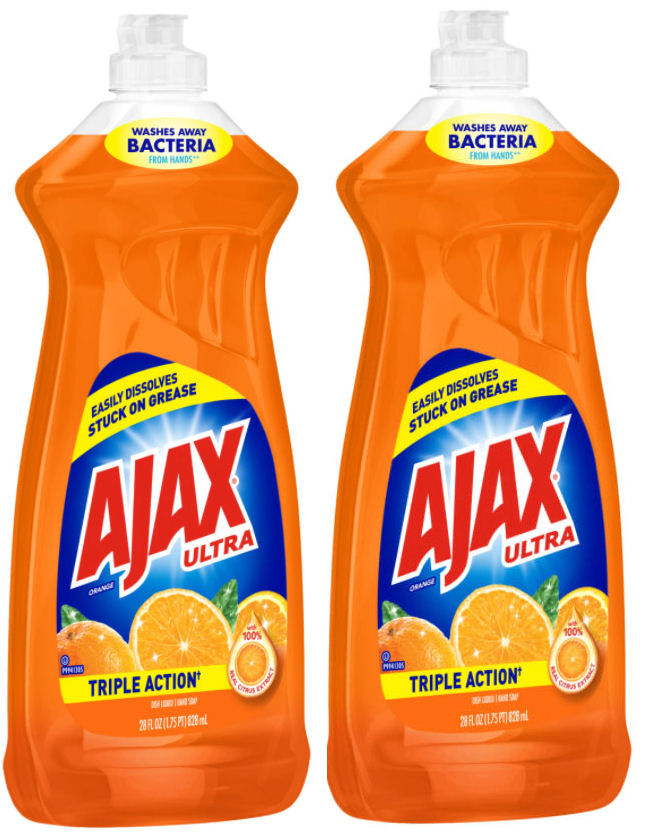
This week you’ll earn a $2 ECB for buying two Ajax or Palmolive dish soaps. These are on sale B1G1 50% off, plus there are coupons for each of these.
CVS Deals (Thru 8/17)
Buy (1) Ajax Ultra Dish Liquid 28oz, $3.89 B1G1 50% off Sale Price
Buy (1) Palmolive Dish Liquid 20oz, $4.69 B1G1 50% Off Sale Price
$1/1 Ajax® Ultra Dish Liquid (25oz or larger) exp. 9/14/24 Send2card
$1/1 Palmolive® Ultra Dish Liquid (18oz or larger) exp. 9/14/24 Send2card
Total = $4.64, Get back $2 ECB for buying two
= $1.32 each


{ 4 comments… read them below or add one }
How do I use my ExtraCareBucks when placing on online order?? I have searched the whole CVS site and can’t find it. When I go to check out, it doesn’t give me the option to apply the ECB – just my credit card, gift card, or PP.
It’s so frustrating that I’m tempted to switch my Rxs to WG and use their app instead. Can you help?
That is so weird. I have no issues paying online with ECBs. I use Microsoft Edge, if that’s any help. I almost always use my desktop, although I may have once or twice used the APP on my phone. Are you doing this on your phone browser or the app? If you’re using your PC, do you get the same error on your app? The last order I placed online was the 4th of September without issues. When you say it doesn’t show the ECB deals, do you mean the one’s you’ve already bought, like the ECB’s you earned for them? Do you see the ECB’s that you have on your card? On the top right corner under account it shows $$$ and the amount (of ECBs) available. And on this link https://www.cvs.com/extracare/home/ , you should see the individual ECBs you have in little squares as well as any coupons. Are those showing there? Is your account linked to your ECB card? Feel free to leave another message on this post if you like. I can’t think of anything else. If I do, I’ll come back and leave you another message.
I’m on Edge on a desktop. I see all that I’ve earned, but when I try to place an order, it doesn’t give me the option to pay with ECB. I’m only 2 miles from the store, but it’s annoying!\,
Not sure what is meant by linked to my ECB card.
Thanks for your help – and the deal pointers!
OK so when you hit checkout, it should show you on the left Your Store then below Shipping or Pickup or Delivery as the case may be. Then on the right side there should be a column titled “Savings” and below that Your extra bucks. With a circle that is labeled APPLY for each one. You hit APPLY and it should apply to your order. Are you seeing the Extra Bucks on the right side? It will only show like the first two ECBs but you can click “View Deals and Rewards” and the rest will show up. You must be signed in to the website to place the order and I’m sure you know this but it will sign you out very quickly like maybe 5 minutes so if you spend a lot of time selecting products you have to sign in again. If you were not linked to your ECB Card then it would read link account to ECB card right where the Savings are but if you’re seeing what you’ve earned then you are probably linked.